

AN easy way to tell Google which pages to prioritize
Canonical URL tags
Canonical URLs avoid duplicate content and boost SEO. Yoast SEO automatically adds important signals for search engines.
Included in Yoast SEO, Yoast SEO Premium, Yoast WooCommerce SEO, and Yoast SEO AI+.
Why canonical URLs matter
Duplicate pages can create problems. When the same content appears under different URLs, such as product pages across multiple categories or versions with tracking parameters, search engines and AI systems don’t know which to prioritize. This makes it harder for search engines and AI systems to know which version to show, and can lead to the wrong version appearing in search results or AI-generated answers. Canonical tags fix this by pointing to the original page, so your best content gets the visibility it deserves.
AI search engines also take these signals into account. If your canonical tags are inconsistent or missing, AI might ignore your preferred version or split authority between duplicates. Yoast SEO handles this automatically, ensuring your site stays optimized without extra effort.
Canonical URL tags are your site’s GPS for search engines and AI
Search engines and AI systems need clear signals to understand your content. When multiple versions of a page exist, they compete against each other, diluting your visibility and confusing algorithms. Canonical URLs solve this by designating the primary version, so your content performs better in search results and AI-generated answers.
They also help future-proof your site. As AI search grows, canonical tags ensure your content is correctly attributed in voice search, AI assistants, and generative results. Yoast SEO automatically adds them, so you don’t have to worry about technical details.
Canonical tags protect your link value
When multiple versions of a page exist, links to those duplicates split their ranking power. This weakens your SEO, even if you’ve earned those links through great content. A canonical tag tells Google to treat all links as pointing to the original page. Instead of spreading link value across duplicates, you consolidate it into a single, stronger page that gives your content the best chance of being found.

Canonical tags stop your pages from competing with each other
When the same content appears under multiple URLs, search engines and AI systems don’t know which one to rank. This forces your pages to compete with each other for visibility instead of working together. A canonical tag tells Google and AI search tools which version is the original. That way, all the value from links, engagement, and authority gets combined into one strong page instead of being wasted on duplicates.
Canonical tags make your search listings work harder
Google and AI search tools need to know which version of your page to display. Without canonical tags, they might show duplicate or outdated URLs, leading to weaker snippets or confusing previews. Your search listing is your first impression. A clear canonical URL ensures visitors land on the right page with accurate, compelling details. No confusion, no wasted clicks, just a smooth path to your content.

Canonical tags keep your social proof intact
When people share your content, you want all those shares pointing to the same URL. Without canonical tags, social platforms and even AI tools might treat duplicates as separate pages, splitting your engagement. A canonical URL ensures all shares, likes, and comments count toward the original version. That way, your content builds momentum instead of diluting it across multiple links.

Set your own canonical URL in seconds
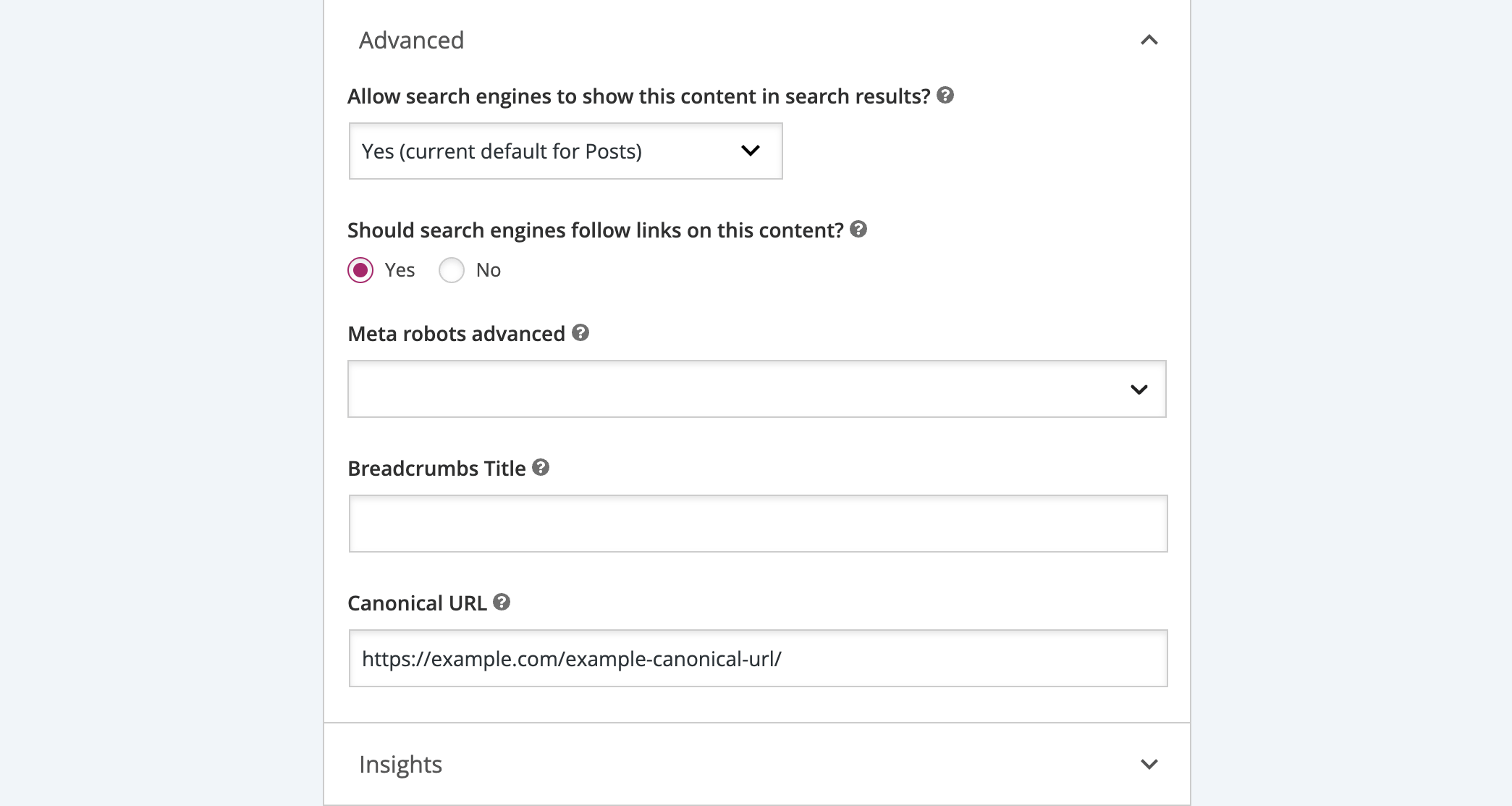
Sometimes you need to override the default canonical URL, such as when republishing content or optimizing for AI search visibility. Our plugin makes it simple: just enter the URL you want to use for any page. No coding, no guesswork. Just full control over how search engines and AI systems see your content.

Keep canonical URLs safe and simple
Canonical tags are powerful, so we let you control who can edit them. Hide the settings from editors or teams who don’t need access, reducing mistakes and preserving your SEO and AI search visibility. No unnecessary risks. No accidental changes. Just secure, hassle-free optimization.

We handle canonical URLs where they don’t belong
Some pages, like error pages or noindexed content, don’t need canonical tags. In fact, keeping them can cause issues. Our plugin automatically removes them in these cases, so you don’t have to worry about conflicts or mistakes. One less thing to manage, so you can focus on what matters.
FAQs
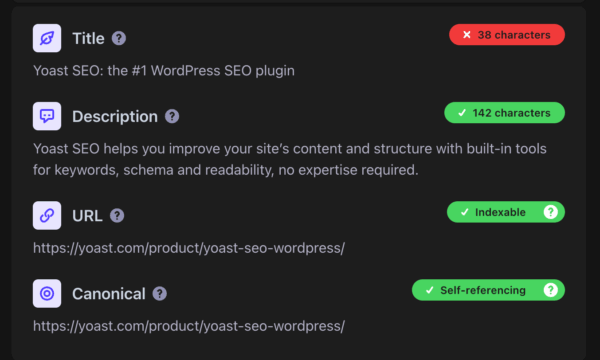
No. Yoast SEO adds a canonical URL tag to every page and post by default, based on that page’s own URL. You only need to step in if you want to point one page to a different original.
Yes. Open the page in the editor, go to the Advanced tab in the Yoast SEO sidebar, and enter the URL you want in the Canonical URL field. See how to change your canonical URL in WordPress or how to change it in Shopify for the exact steps.
Canonical tags solve one specific problem: telling search engines and AI systems which version of a page to treat as the original. They don’t replace good site structure, and some duplicate content issues need a different fix, like a redirect instead of a canonical tag.
The underlying idea is the same everywhere: one clear signal per page. The setup steps differ slightly by platform, so check the WordPress instructions or Shopify instructions depending on where your site runs.
This is usually expected behavior rather than a bug. Yoast SEO doesn’t output a canonical tag on pages marked as noindex. If a page should be indexed but is still missing its canonical tag, check that setting first.
Yoast’s full guide to rel=canonical covers the common scenarios in more depth, including trailing slashes, HTTP vs. HTTPS, and pagination.
Upgrade to Yoast SEO Premium
Yoast SEO Premium gives entrepreneurs and in-house teams real-time SEO guidance, so content meets best practices and drives visibility, no expert knowledge needed

For marketers and content publishers looking to boost brand awareness and visibility, this package combines powerful on page SEO tools with AI brand monitoring and insights.

Built for WooCommerce stores, this bundle helps your products stand out in Google with rich results and smart SEO, plus Yoast SEO Premium to save time and boost visibility.